



Social media sharing
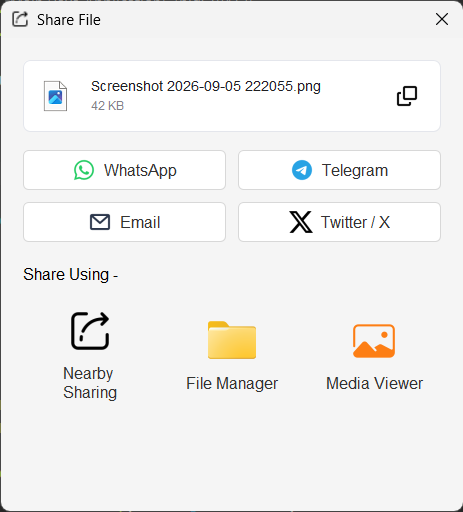
After a capture finishes, click the share button to open the sharing dialog. The selected file is shown with its name and size.
Social media and email
The dialog provides buttons for:
- WhatsApp: opens WhatsApp Web with a prepared message.
- Telegram: opens the Telegram share URL with the file reference and message.
- Email: opens the system mail handler when available, with a subject, message, and local file path.
- Twitter / X: opens the post composer with a prepared message.
The file is also copied to the system clipboard before the web or mail handler opens, so paste it into the destination when the service supports file attachments. These actions depend on the browser, desktop mail client, or platform handler installed on the computer.
Was this helpful?
Supported
You feedback has been received!
Thank you for your help.